Wordpress
Wordpress development

Write once. Broadcast to Facebook, Instagram, LinkedIn, Threads, Pinterest , Google Blogger , etc... instantly or on your schedule.



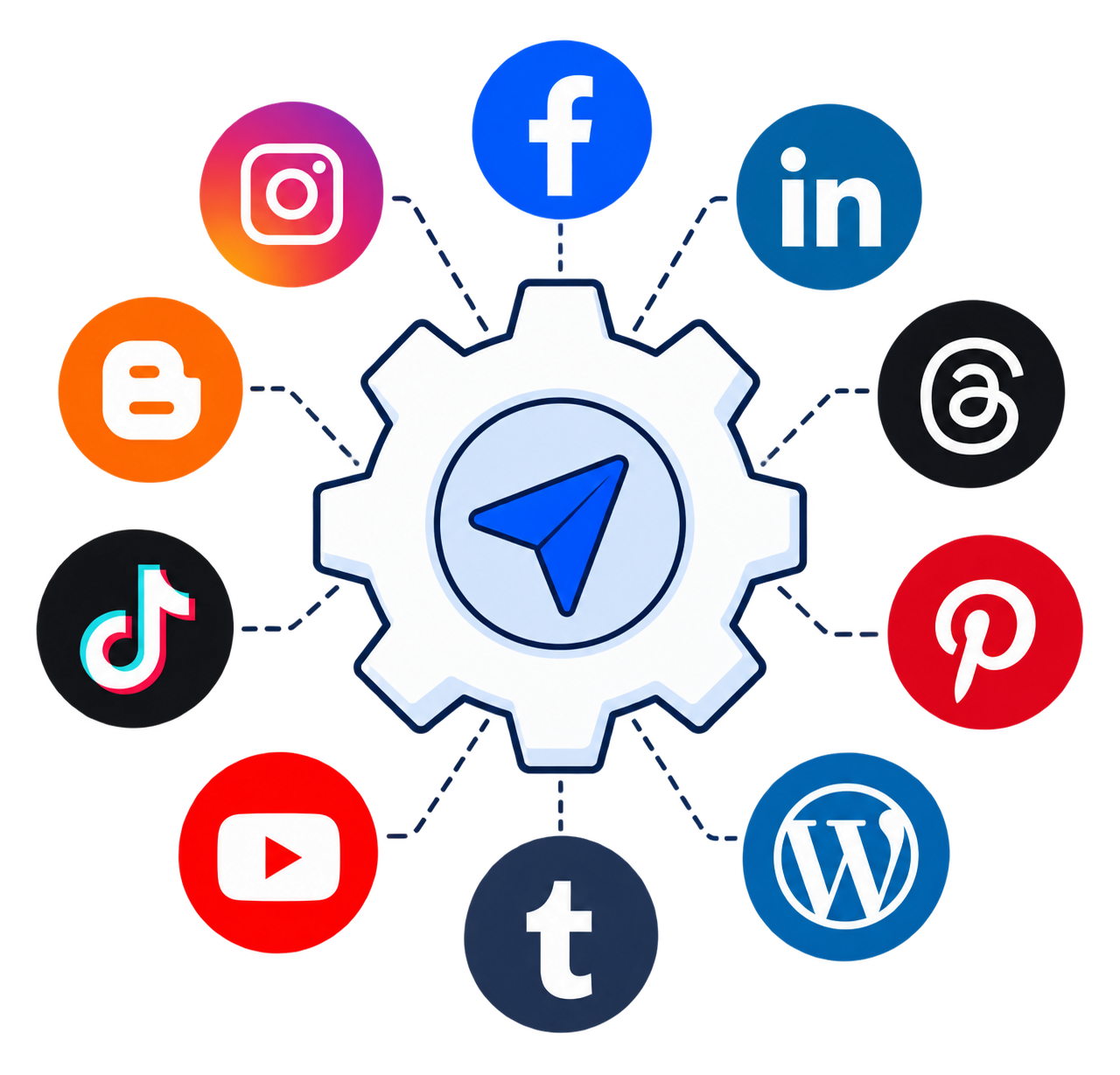
One Click Publish is built to simplify social media management. Create, generate, and publish content across multiple social media platforms all from one place. With AI powered tools for topics, content, tags, and images, you can go from idea to post in seconds. Publish instantly or schedule for later everything in just one click.
Tips, tricks, and updates to help you master social media automation.
Three steps is all it takes to broadcast your message across every platform simultaneously.
Compose content with text and images in one intuitive editor no switching tabs.
Authorize your social accounts once. We securely manage your tokens.
Go live instantly or schedule for the perfect time. Every platform gets your post.
Post to all platforms simultaneously. Write once, reach everywhere without any extra effort.
Automatically creates native posts tailored to each platform's format and best practices.
Attach images and rich content. Every platform receives the perfect media format automatically.
Every post supports native likes, comments, and shares. Your audience stays engaged on their platform.
Set exact publish times. Posts auto release across all platforms precisely when you choose.
Facebook, Instagram, LinkedIn, Threads, Pinterest, Blogger, etc..
Two powerful modes instant broadcast or precision timed delivery.
Go live immediately. One click sends your post to every connected platform in real time perfect for trending topics, live events, and time-sensitive announcements.
Pick the perfect date and time. Your post is queued and auto-published across all platforms exactly when you choose even while you sleep.
Connect all your favorite platforms and publish everywhere with one click
Pages & personal profiles
Feed posts & stories
Professional network
Text first conversations
Visual discovery & pins
Blog posts & articles
Blog posts & pages
Blogs & creative content
Video & creator content
Short-form video content
Short posts & threads

Business profile posts & updates
Use our clean, distraction free editor to craft your message. Add text, images, and hashtags all in one place without reformatting for each platform.
Enter a topic and our AI instantly generates a complete post catchy title, full content, relevant hashtags, and even a matching image. Publish or edit before going live.
Authorize each platform once using OAuth access tokens. We securely store your credentials no passwords, no re logins, ever again.
Hit "Publish Now" and watch your post go live on every connected platform simultaneously Facebook, Instagram, LinkedIn, Threads, Pinterest, Blogger , etc.. all at once.
Pick an exact date and time for each post. Our scheduler auto publishes across every connected platform at precisely the moment you choose timezone aware.
Before publishing, see your post scored on topic, content and tags, side by side with an AI enhanced version. Choose the one you like and publish or schedule it.
See your posts, likes, comments, and shares across all platforms from one unified dashboard. Know what's working and publish more of it.
Excited to share our latest product update! 🚀 This changes everything for our users...
Clear answers to the most common questions about One Click Publish.
One Click Publish is a platform to publish your post with content and images across all your connected social media accounts in a single click no switching tabs, no repeated uploads.
Yes connect all your social media accounts into One Click Publish and publish to all of them at once with a single click. Supports Facebook, Instagram, LinkedIn, Threads, Pinterest, Blogger, WordPress & more.
Log in to your social media account, then connect it inside One Click Publish using your access token. Authorize once and we handle the rest no re-login needed. Manage everything from the Connections dashboard.
Only your authorized access token is needed. We securely manage your connection tokens internally as long as your social media account is active, you're good to go. No passwords stored.
Yes expiration varies by platform. Watch for expiration notices in your Connections dashboard and reauthorize your token on the respective social media platform when prompted.
Only normal, safe content and images are permitted no violent, sexual, or restricted material. If a platform rejects your content for policy violations, One Click Publish bears no responsibility for those rejections.
No once published on social media, you must delete posts directly from each platform. One Click Publish only publishes content; it does not have access to delete posts on social media. You can delete the post stored here independently.
Yes you can schedule multiple posts to publish on the same or different dates and times. Each scheduled post is queued independently and auto published exactly when you set it.
Join thousands of creators and marketers who have stopped wasting time and started publishing smarter.
✦ Publish directly to Facebook · Instagram · LinkedIn · Threads · Pinterest · Blogger · etc ✦